Save the sentence.
Keep the context.
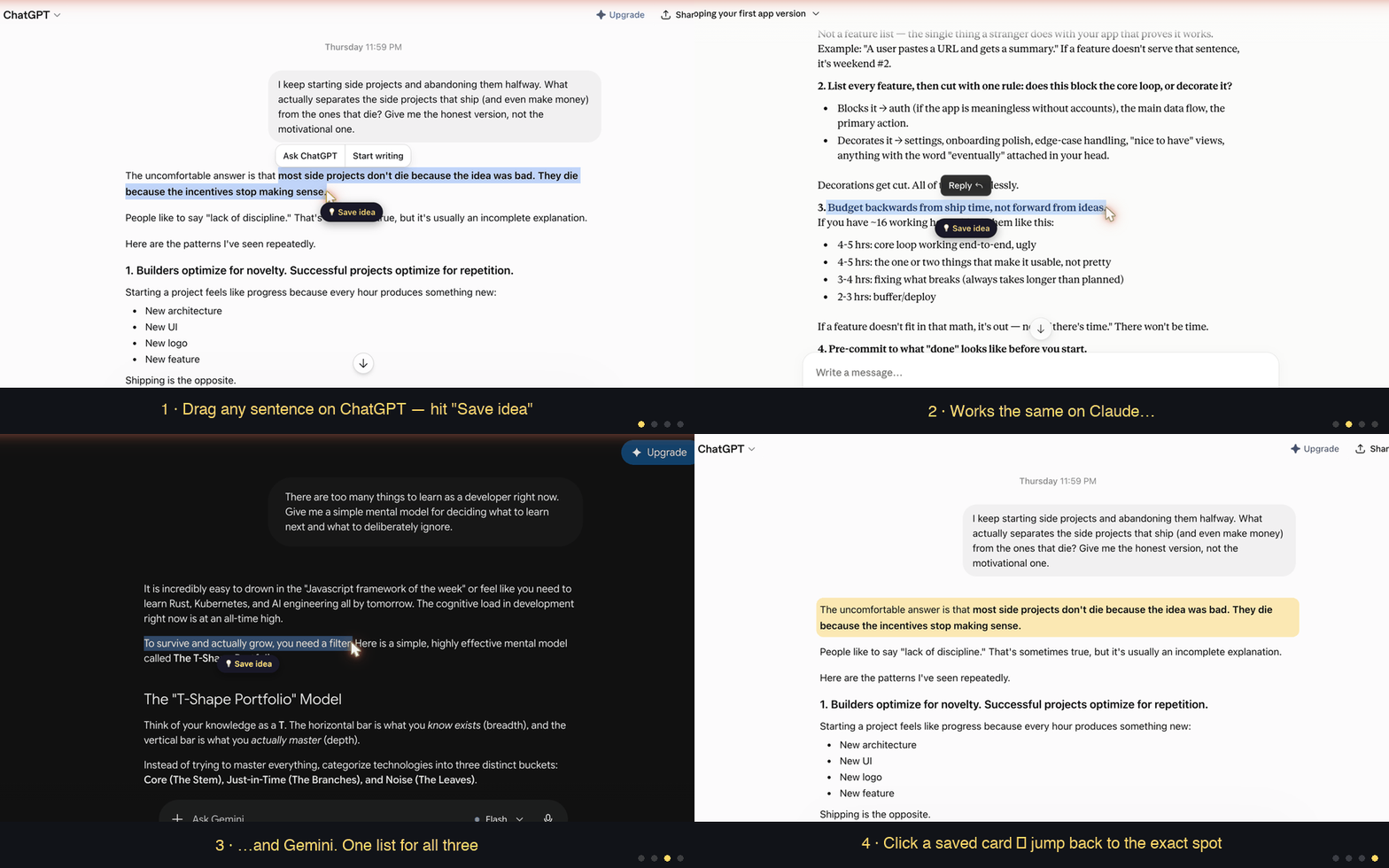
AI answers keep getting longer — but what sticks is one or two sentences. JumpBack saves the line you drag, and one click later, drops you back at the exact spot in the conversation it came from.
No account. Nothing leaves your browser.
Some people carry a pocket notebook for the one line that matters. Your AI chats deserve the same notebook — except this one remembers where every line came from.
A note without context dies in a week. That's why every highlight in JumpBack stays linked to its conversation — click it and you're back in the moment, with everything before and after it.
-
Drag to save
Select any passage in ChatGPT, Claude or Gemini. A save button appears right where you are. One click, done.
-
Auto-summarized, on your device
Long saves get bullet-point summaries via Chrome's built-in AI (Gemini Nano). No API key, no cost, works offline.
-
Jump back to the exact spot
Click a saved card — JumpBack reopens the conversation, scrolls to your sentence and flashes it. Even in very long chats.
Your highlights never leave your browser. We count only anonymous feature usage — never what you saved. Opt out anytime.
- No accountWorks the second you install it
- No content serverHighlights stay in local storage
- Anonymous stats onlyWhat we count — and never collect
- FreeAll core features, no paywall